Developer Edition Architecture
An explanation of the architecture and components of Developer Edition.
A high-level architecture of Developer Edition is provided in the following image.
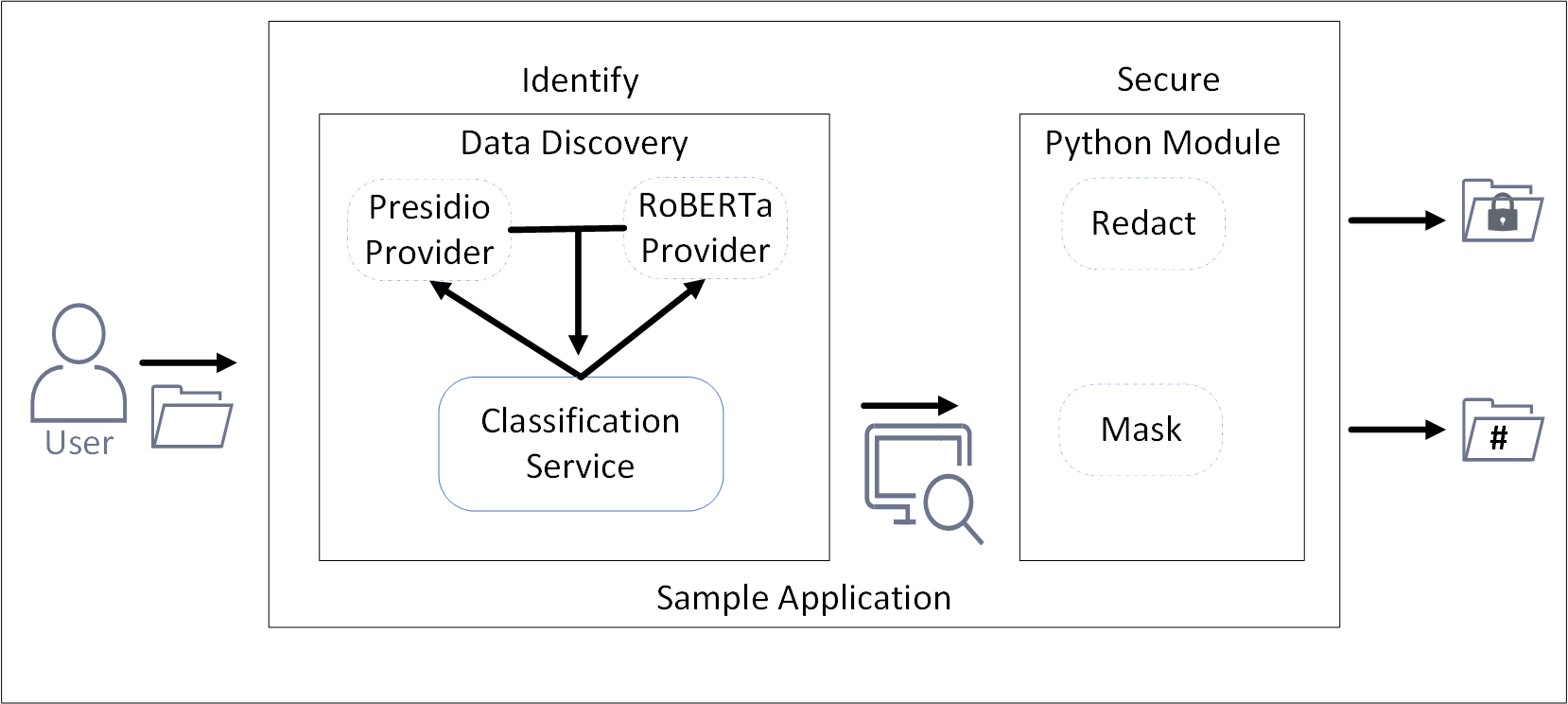
This release of Developer Edition consists of a sample application that utilizes and showcases the capabilities of Data Discovery and a simple Python module. The Data Discovery component is used for identifying sensitive data. After identification, the Python module redacts or masks the sensitive information.
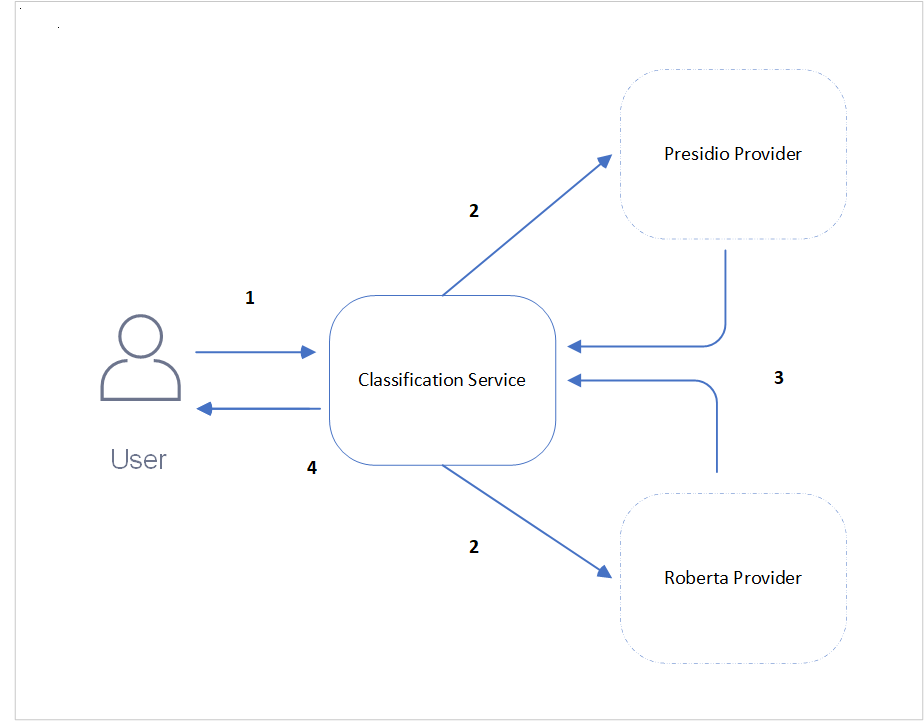
- Data Discovery: Data Discovery consists of three containers that are hosted on Docker, the Classification container, the Presidio provider container, and similarly, the RoBERTa provider container. The general architecture is illustrated in the following figure.
| Callout | Description |
|---|---|
| 1 | The user enters the data to be classified for sensitive data as text body and sends the request to the Classification service. |
| 2 | This Classification service then distributes the request to the Presidio and RoBERTa service providers to process the data. |
| 3 | The Presidio and RoBERTa providers process the data based on their logic and classify them in the form of a response to the Classification service. |
| 4 | The Classification service then aggregates the responses from the service providers and sends it to the user. |
For more information about Data Discovery, refer to Data Discovery.
- sample-app-find-and-redact module: The sample-app-find-and-redact module is a Python library that process the identified data and redacts or masks the information.
The module can be customized to do the following functions:
- Specify the items that must be identified.
- Specify the operation to be performed on the data, that is redact or mask.
- Specify a file name and output location for the source data.
- Specify a file name and output location for the transformed data.
Sample application
The sample application brings together Data Discovery and the sample-app-find-and-redact module together to identify and redact or mask the data.
The Developer Edition flow is as follows:
- The user submits the file using the sample application.
- The sample application sends the file to the Data Discovery container.
- The Data Discovery container processes the file and identifies the sensitive data in the file.
- The Python module receives the file and redacts or masks the sensitive information.
- The output file is saved to the location specified in the configuration.
Feedback
Was this page helpful?